

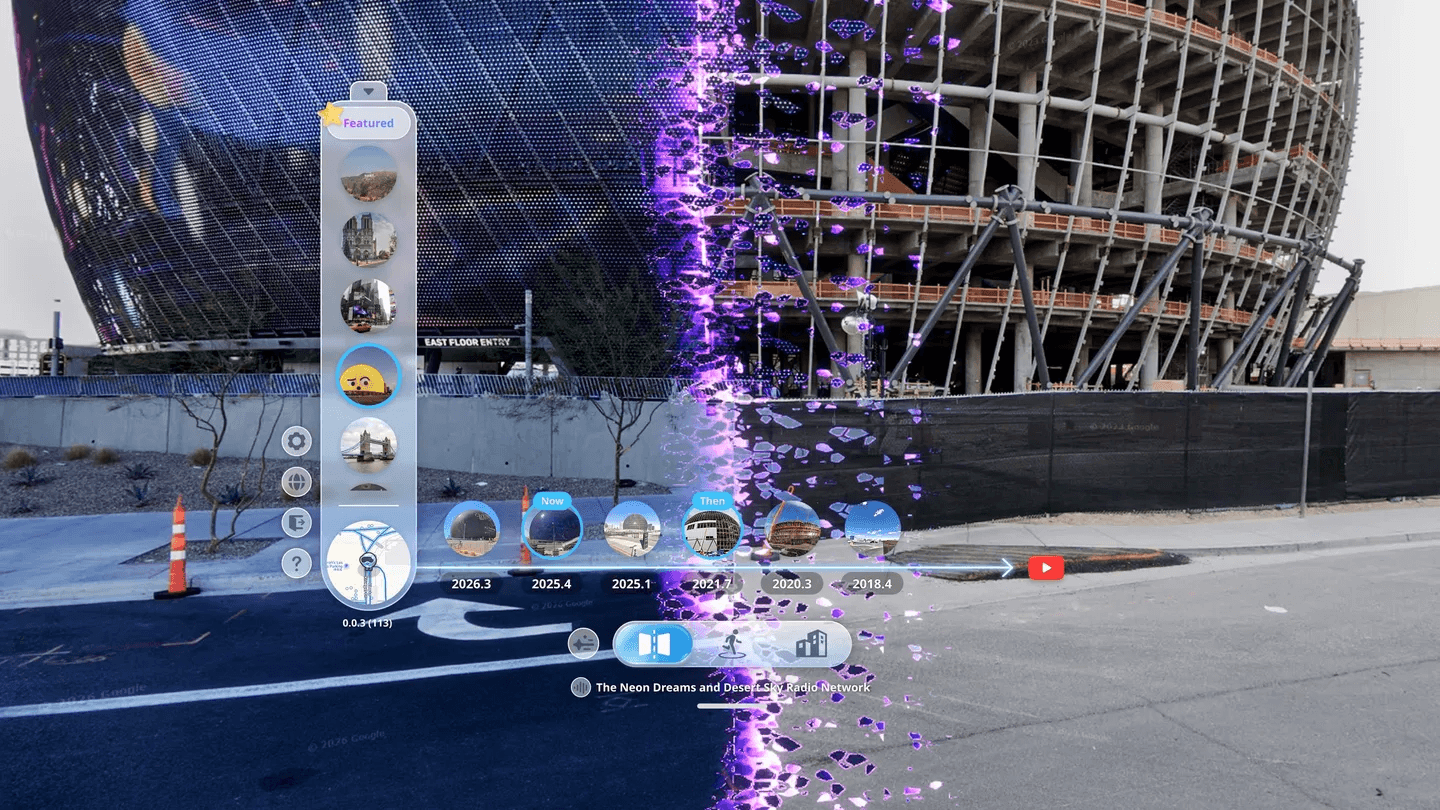
VR Games: Explore Past and Present with Revisit VR’s Now & Then
What else can you do with Meta Quest besides VR Games? Follow the transformation of London’s Battersea Power Station and see how Revisit VR uses Now & Then and Time Rift to explore available historical Street View imagery.
Open Meta Quest and you might first think of VR Games: entering new worlds, completing missions, and taking on challenges. But what if your next adventure took place on a real street instead of a fictional map? In Revisit VR, Now & Then brings available historical Google Street View imagery into VR. From the same position, you can drag Time Rift to see how buildings and neighborhoods have changed over time. For app details, visit the Meta Quest Store.
See How Real Streets Change Over Time in VR
VR travel does not have to be a rush between landmarks. Open a familiar street view and pick out an intersection, building, or storefront. Then switch to a historical year available at that location. Time Rift places both years in one view; drag the divider to compare the same spot directly.
It is a way to answer, “What did this place look like before?” See whether an old building still stands or when an empty lot became a new development. You can also continue along available Street View points. Historical years depend on existing local Google Street View imagery; Revisit VR does not generate missing views of the past.
Battersea Power Station: From Industrial Landmark to New Neighborhood
London’s Battersea Power Station stood unused for years before the surrounding area underwent major redevelopment. Today, the restored power station connects with new pedestrian streets, homes, and public spaces. According to its official history, the power station and Electric Boulevard opened to the public in 2022. It makes you wonder how different the skyline would look from the same street in another year.
Look for older imagery on streets near the power station that have Street View coverage. Watch for construction hoardings, road edges, chimneys, and nearby buildings. Now & Then can compare years in one view only if multiple capture years are available at that location. The available years and viewpoints depend on local Street View data.
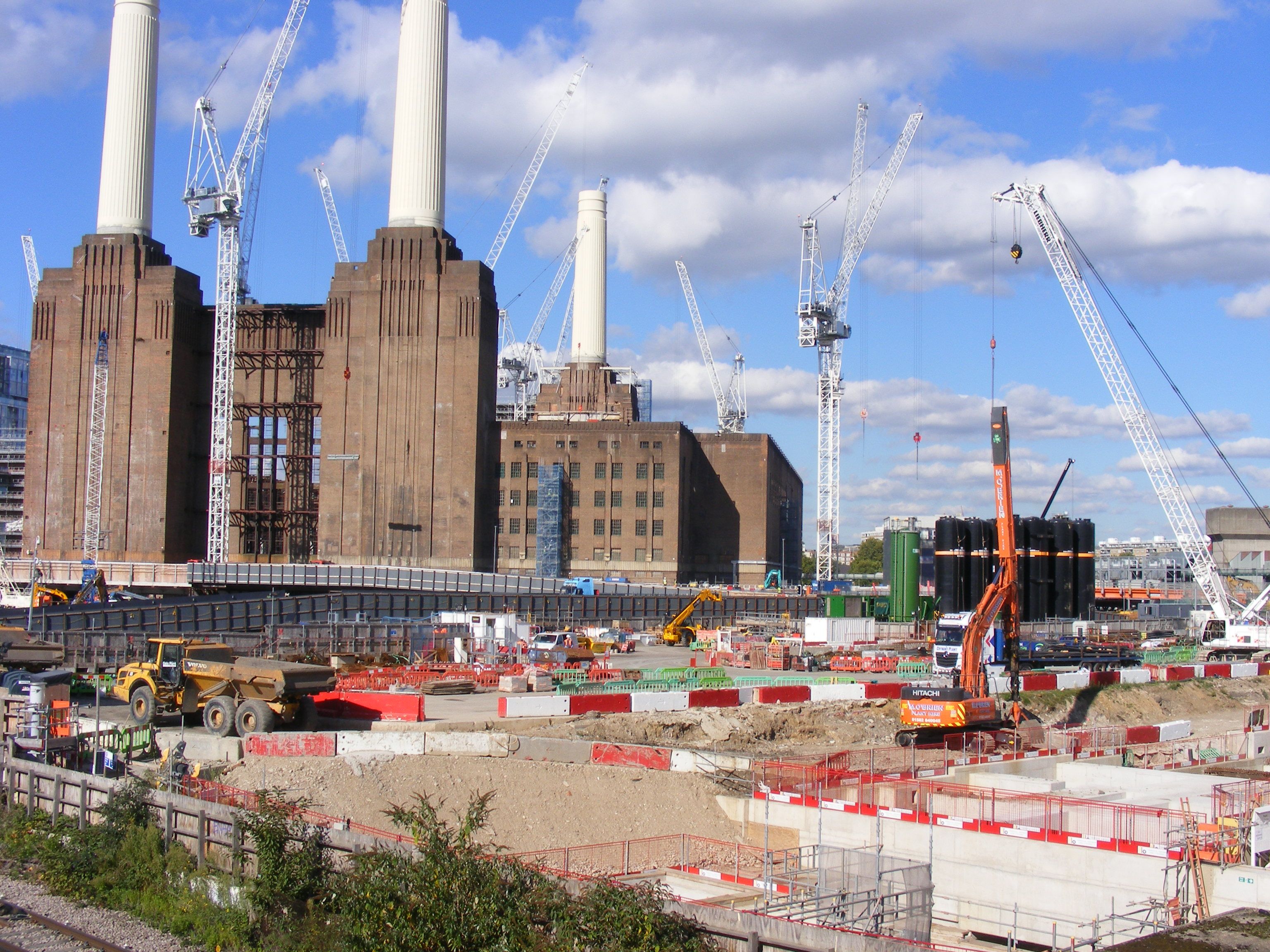 2017 · THEN
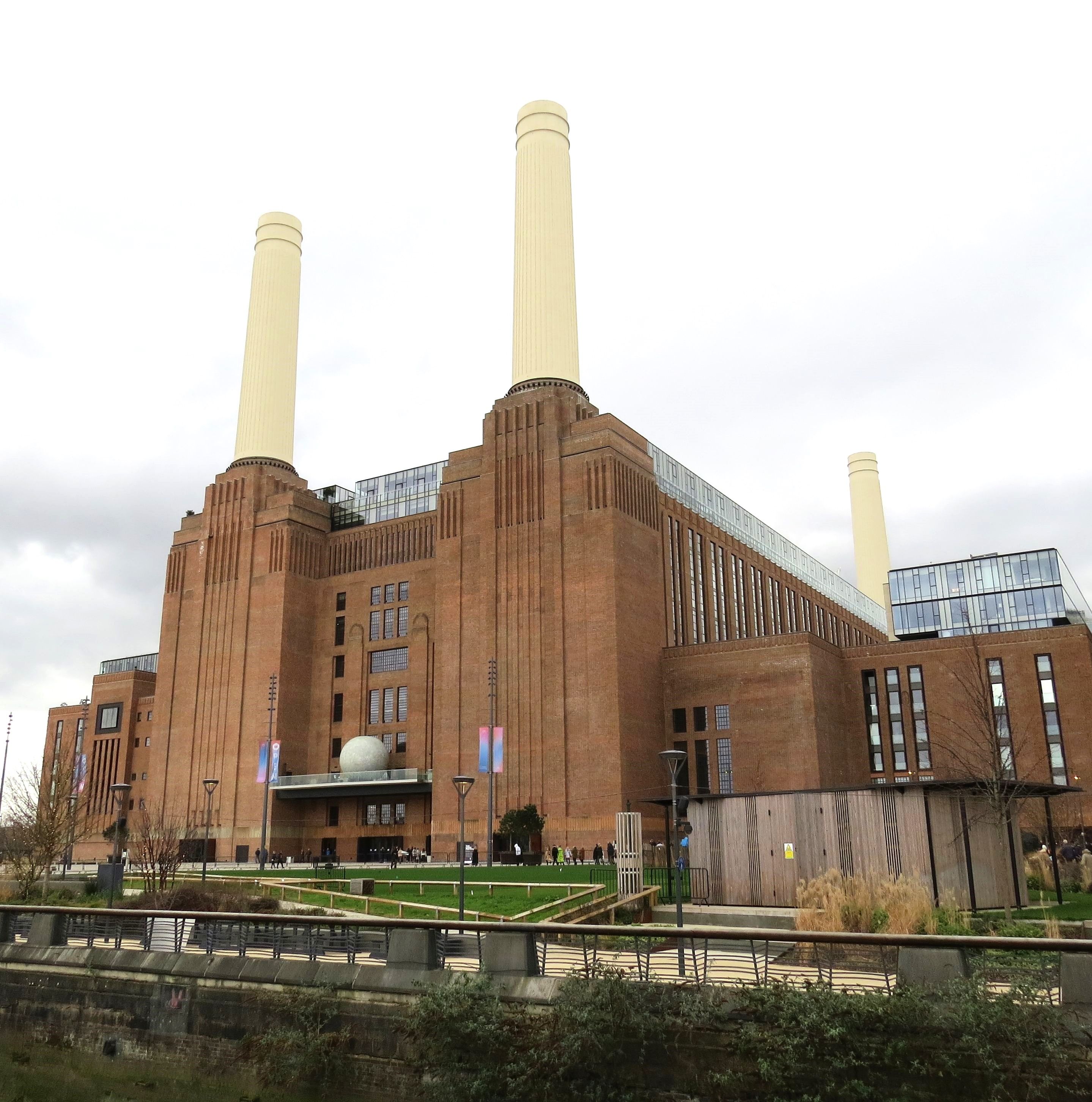 2023 · NOW
2017 redevelopment site: © sludgegulper, CC BY-SA 2.0; 2023 power station frontage: © Bartholomeus Thoth, CC BY 4.0.
How to Use Now & Then to See a Street Change
Start with a specific place:
1. Search for a location Search for Battersea Power Station in Revisit VR, or enter a landmark or street you want to revisit.
2. Find a Street View viewpoint Move to a nearby spot with Street View coverage. Look around the available view and choose an easy-to-recognize reference point.
3. Compare historical imagery If historical imagery is available there, open Now & Then, select an available year, and drag Time Rift. Move the divider across a building facade, intersection, or storefront to make changes easier to spot.
4. Continue down the street To see the next stretch, follow available Street View points and check whether the new location has historical years.
The years shown in the interface come from existing local imagery; you cannot choose any year you like. To preview the experience, watch this video.
Take Your Next VR Time Trip Somewhere Familiar
Battersea’s redevelopment has a clear timeline, but you need not limit yourself to famous landmarks. Search for the street where you went to school, a neighborhood where you stayed while traveling, or a city you have always wanted to visit. If Street View is available, get to know it as it appears in the available imagery; if historical imagery exists, use Now & Then to look back.
Moving from VR Games into the real world takes the same curiosity and a different destination. For Revisit VR visuals, current pricing, and ways to experience it, view the app on the Meta Quest Store.