


Explore Movie Cities with Revisit VR
Explore movie locations in Tokyo, Paris, and London with Revisit VR. Search real streets, follow Street View, and compare available historical imagery.
Watching a film in Moon VR Player, you might find yourself drawn to a city. What lies beyond Shinjuku’s towers? Does that corner in Paris really exist? You want to visit someday, but have no trip planned yet. Start with Revisit VR: search for real places featured in the film, look around where Street View is available, and follow available nodes into streets beyond the frame. These three cities are a place to begin.
Shinjuku, Tokyo: From Lost in Translation to the Street
Lost in Translation made Shinjuku’s night lights and towers many people’s first image of Tokyo. One of the film’s key locations is Shinjuku Park Tower. But the more interesting part may be leaving the building behind and seeing how nearby roads connect the station, office towers, and quieter streets.
In Revisit VR, start by searching for Shinjuku Park Tower with Open Exploration, then look for nearby roads with Street View coverage. The film chose the frame for you; here, you can turn around, study an intersection, and choose your next step along available Street View nodes.
The Latin Quarter, Paris: Finding a Corner from Midnight in Paris
The appeal of Midnight in Paris lies in more than its journey into the past. Its streets invite a slower walk. The steps of Saint-Étienne-du-Mont, the area around the Panthéon, and the Latin Quarter’s smaller streets offer ways into the real Paris behind the film.
Search for the church or the Panthéon in Revisit VR, then use an available Street View entry point to look at the facades, slopes, and adjoining streets. If historical imagery from different years exists for a location, Now & Then lets you compare past and present with Time Rift. What you see is available real-world Street View imagery, not a reconstruction of the film’s period.
Notting Hill, London: Beyond the Screen
The bookshop, market, and colorful houses in Notting Hill make this London neighborhood easy to remember. But chasing a single matching camera angle can mean missing the neighborhood itself: residential lanes off the main road, front steps, and nearby corners with different moods.
Start around Portobello Road. Search for nearby places in Revisit VR, enter available Street View, and explore the streets step by step. Street View shows the city when its imagery was captured. Shopfronts, traffic, and building exteriors may differ from the film, giving you another reason to take a closer look.
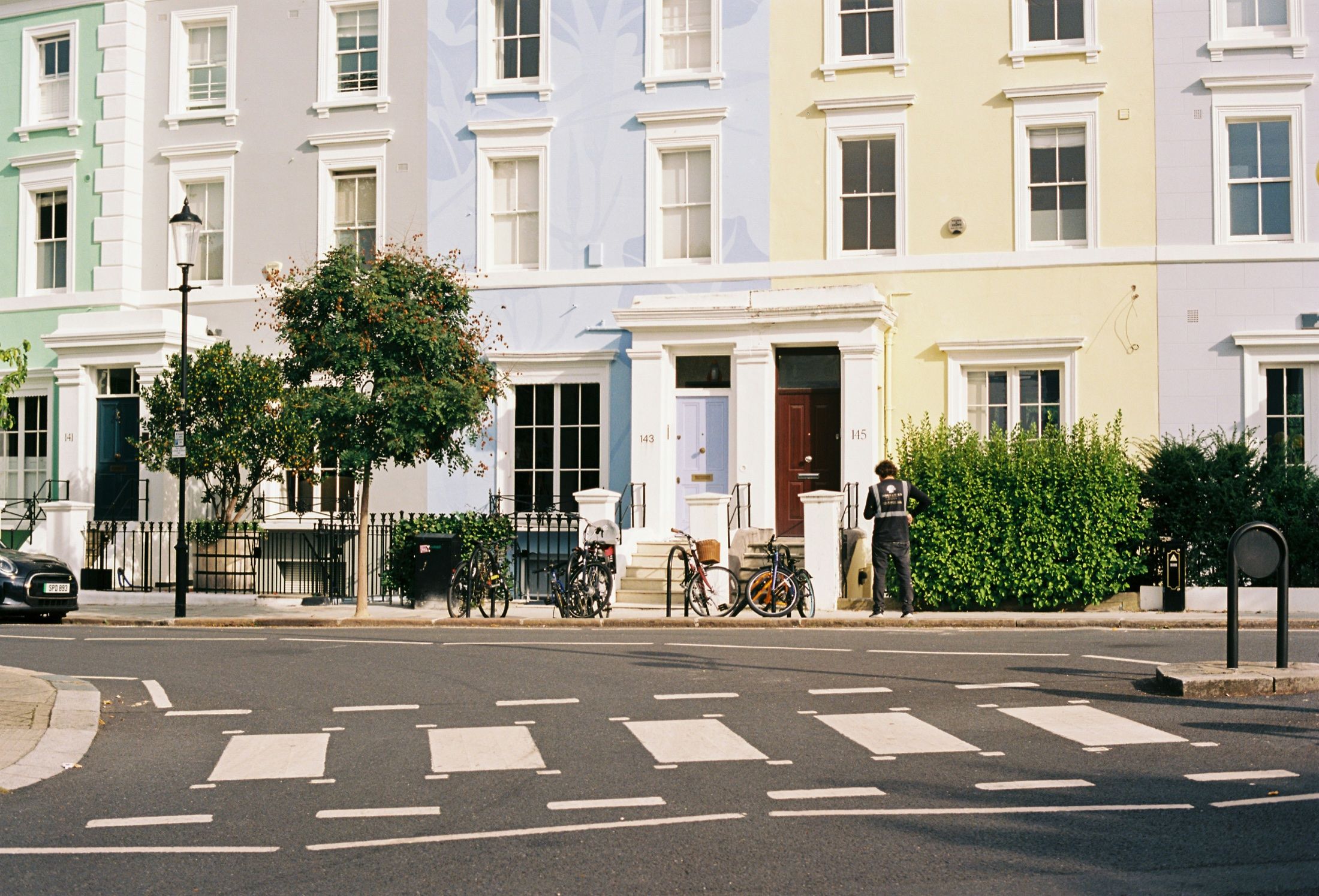
Notting Hill, London · Photo: Lawrence Chismorie / Unsplash
Make Your Own Route Through a Movie City
Choose a landmark you remember as a starting point. You do not need to follow the film’s order or find every camera angle. Revisit VR can turn “I recognize this city” into “I wonder what’s down the next street”: search for a place, enter real Street View, and move along available nodes marked by blue footprints. Where historical imagery exists, you can also pause to compare how the city has changed.
Moon VR Player lets you focus on the film. For a different viewing atmosphere, you can also explore the virtual home in Moon VR Home (Moon Portal). When a city on screen catches your attention, use Revisit VR to see its real streets. You might find the first stop for a future trip.
A film can make an intriguing city map, but the route is yours to choose. Start with Shinjuku Park Tower, the Latin Quarter, or Portobello Road. Find a specific place in Revisit VR, then see what surrounds it. For app details and current pricing, view Revisit VR on the Meta Quest Store.